
Ask for help without sharing private information
Give the right person enough context to help, while keeping board information and sign-in details protected.
- Help centre
- Contact support
Before you start
For organisation roles, membership access or record content, start with the organisation’s Administrator. Account or product issues can go to Elencra support.
- Know whether the issue concerns organisation permissions, record content or the product itself.
- Prepare a short description with confidential details removed.
Step by step
Describe the task
Say what you were trying to do, such as opening a board pack or saving an action update.
- Start with the action you were trying to complete. “Open the published November pack” is more useful than “It is broken”.
Explain what happened
Include the page name, approximate time, device/browser and the exact non-sensitive error text.
- Include the page, approximate time and time zone, device, browser and safe error text. Describe what you expected and what you actually saw.
List the checks already tried
Mention relevant steps such as checking the organisation, clearing a filter or confirming the file is a PDF under the limit.
- List relevant checks once so support does not ask you to repeat them. Say whether the issue affects one record or more than one.
Keep the message safe
Remove confidential names or content from screenshots. Never send passwords, one-time codes, recovery links, private participation links or unrequested board papers.
- If attaching a screenshot, inspect the entire image for confidential details. Do not include a browser address containing a private participation or recovery token.
Contact the right channel
Email app@elencra.com for product or account support. Your email app opens separately; the help centre itself does not submit or store a support request.
- Use My account → Account support for the account guidance, or email app@elencra.com. Review and send the message in your own email app; this help preview does not submit it.
Find account supportExample workspaceEnlarge screenshot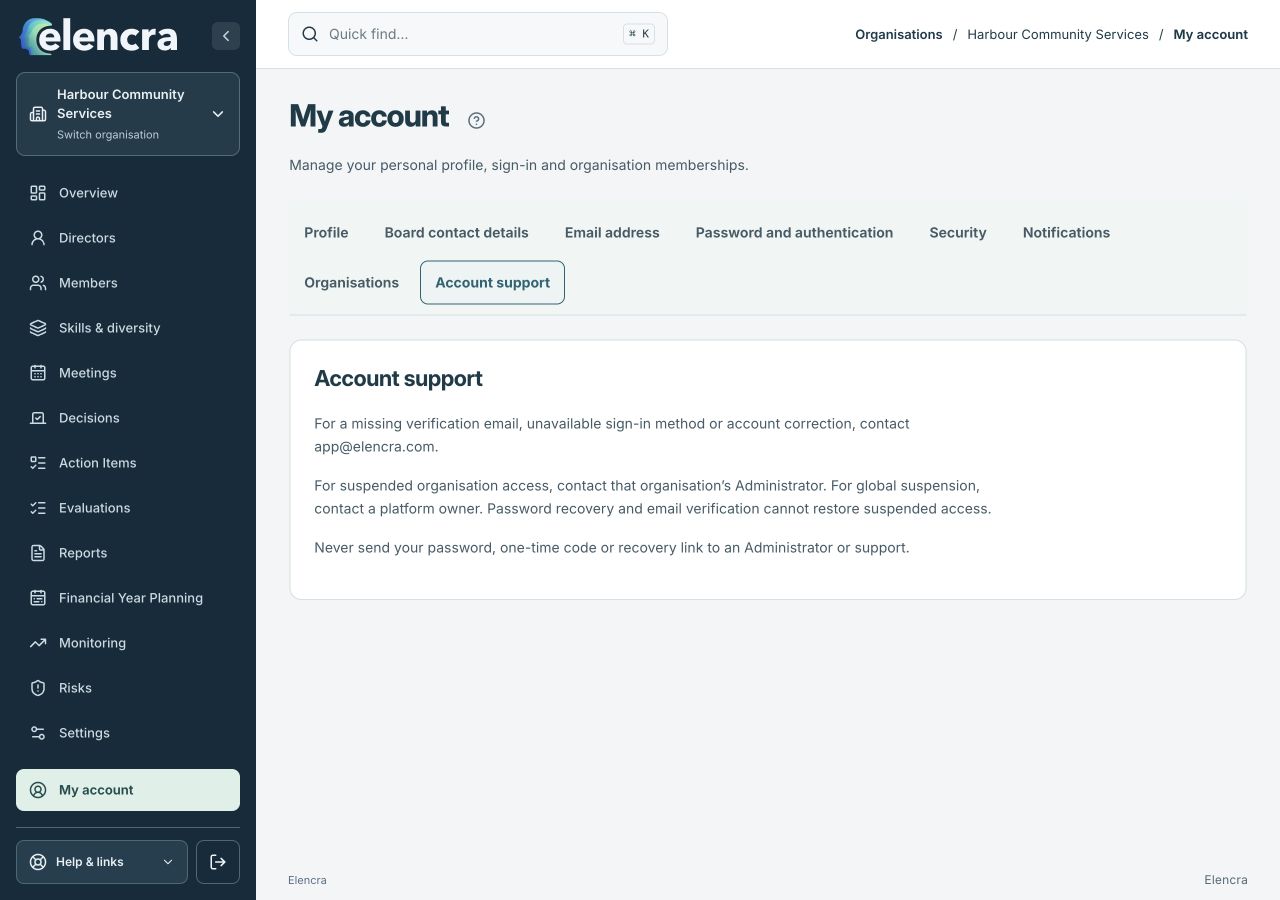
Open My account, then Account support. Remove confidential details before preparing a support message.
Actual app interface with fictional records. Your permissions and screen size may change the options shown.
For example
“In Meetings, opening the published pack shows ‘Document unavailable’. I checked the organisation and can open the agenda. This happened at 10:15 am Darwin time in Chrome.”
What you should see
The Administrator or support team can begin investigating with useful context and minimal unnecessary disclosure.
- Your message explains the task, result and useful context.
- It contains no passwords, codes, private links or unnecessary board content.
If something looks different
If you cannot access the expected page, report its name rather than asking another person to forward their private link or credentials.
Opens your email app. Nothing is submitted from this preview.
A common question
What is a simple support request I can copy?
Use: “I was trying to [task] in [page]. I expected [result], but saw [safe error]. It happened at [time and time zone] on [device/browser]. I have already checked [steps].” Replace the brackets and remove private information before sending.
Did this help you move forward?
Your response stays in this browser on this device.
Updated 16 November 2026. Your organisation’s permissions and settings can change the options you see.