
A board, tool or record is missing
Work out whether you are in the wrong workspace, using a different account or need an access review.
- My account
- Organisations
Before you start
Do not create a duplicate record or account to work around missing access.
- Have the organisation name and the missing tool or record name ready.
- Keep the exact non-sensitive error text if an error is displayed.
Step by step
Check the signed-in account
In My account, confirm the email address is the one the organisation invited.
- Open My account and check the current email. A browser can remember another sign-in, especially on a shared device or where you use several work accounts.
Check the organisation
Open Organisations or the workspace selector. Choose the exact organisation you need.
- Use the organisation selector and confirm the exact board. A similarly named board is not a replacement for the organisation that holds the record.
Review your membership
In My account → Organisations, check the organisation’s recorded role and status. A global account and an organisation membership are separate.
- Choose Organisations in My account and review the role and status shown. A valid global sign-in does not guarantee active access to every organisation.
Check your organisation membershipExample workspaceEnlarge screenshot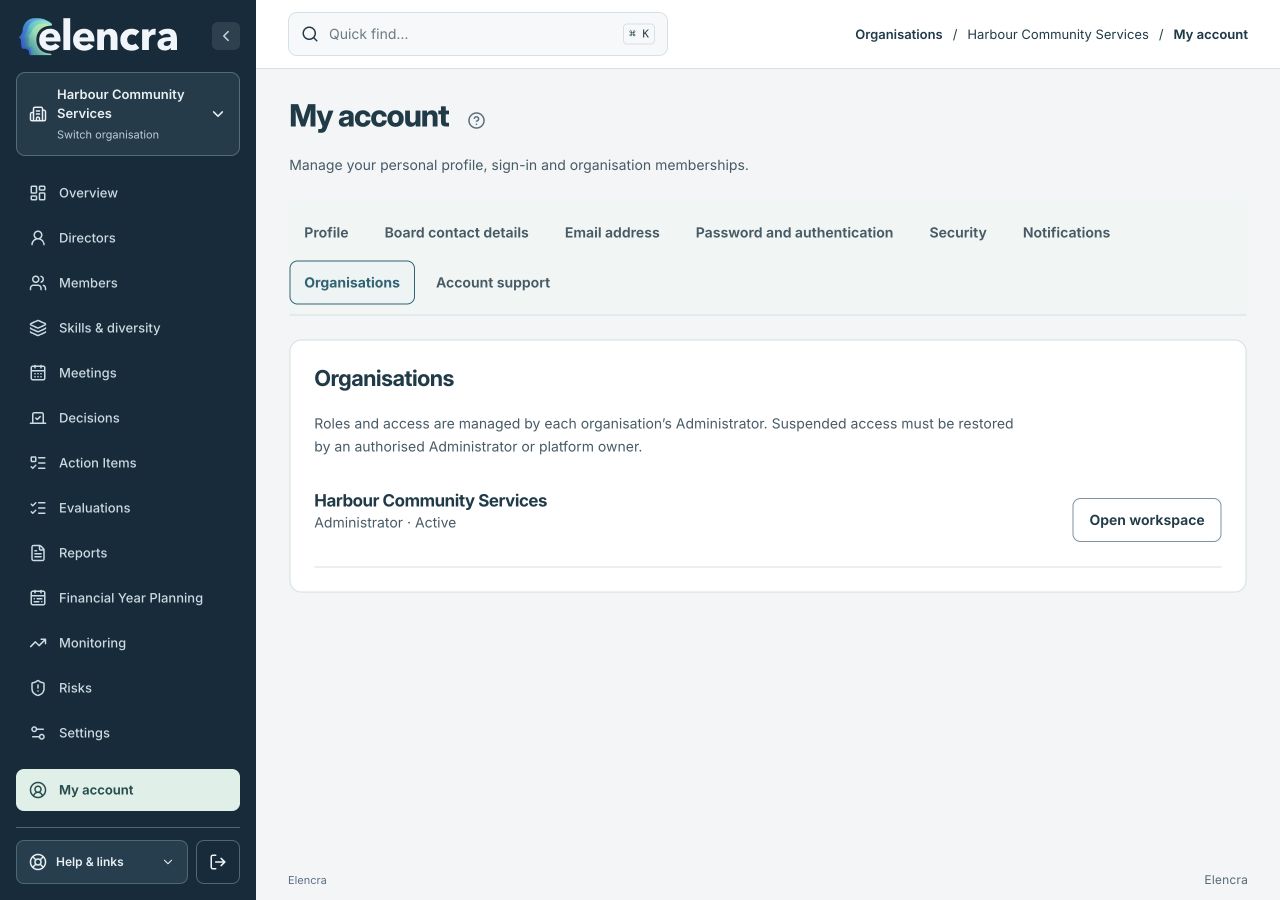
My account → Organisations helps distinguish account sign-in from access to a particular board.
Actual app interface with fictional records. Your permissions and screen size may change the options shown.
Check scope and filters
If the tool is available but the record is missing, clear relevant search and filters. Records and private papers can still have more specific access restrictions.
- Clear the relevant search and filters. For a private paper, ask the organiser to check that exact version’s audience as well as general Meetings access.
Ask the right person
Contact that organisation’s Administrator for section or membership access. Contact account support for a global account suspension or identity correction.
- Tell the Administrator which section or record you need and why. They can review the narrow permission required without granting broader access as a shortcut.
For example
You can open Reports for one board but cannot see Meetings. Ask for the appropriate Meetings access; resetting your password will not grant it.
What you should see
You have identified the account, organisation or permission that needs review without weakening another organisation’s access.
- You have checked both identity and organisation.
- You know whether the problem concerns a missing tool, filtered record or restricted document.
If something looks different
Suspended access cannot be restored by password recovery or a forwarded private link. Share the page name and error message with the authorised reviewer, not passwords or private documents.
A common question
Should I ask for Administrator to fix this quickly?
Ask for the access needed for the task. Administrator grants broad management powers and should not be used just to make a menu item appear.
Did this help you move forward?
Your response stays in this browser on this device.
Updated 16 November 2026. Your organisation’s permissions and settings can change the options you see.