
Prepare a proposal for director responses
Record the exact resolution and eligible participants before opening a decision for responses.
- Decisions
- New proposal
Before you start
Check your organisation’s recorded decision rules. The software records the process; it does not decide whether a resolution is legally valid.
- Have the exact proposed resolution and the organisation’s agreed process ready.
- Confirm the eligible participants and any deadline before opening responses.
Step by step
Create the proposal
Open Decisions and choose New proposal. Enter a clear Title and Exact resolution.
- Keep the title short, but put the complete wording people are asked to support in Exact resolution. Avoid relying on an attached paper to supply missing conditions.
Start with precise wordingExample workspaceEnlarge screenshot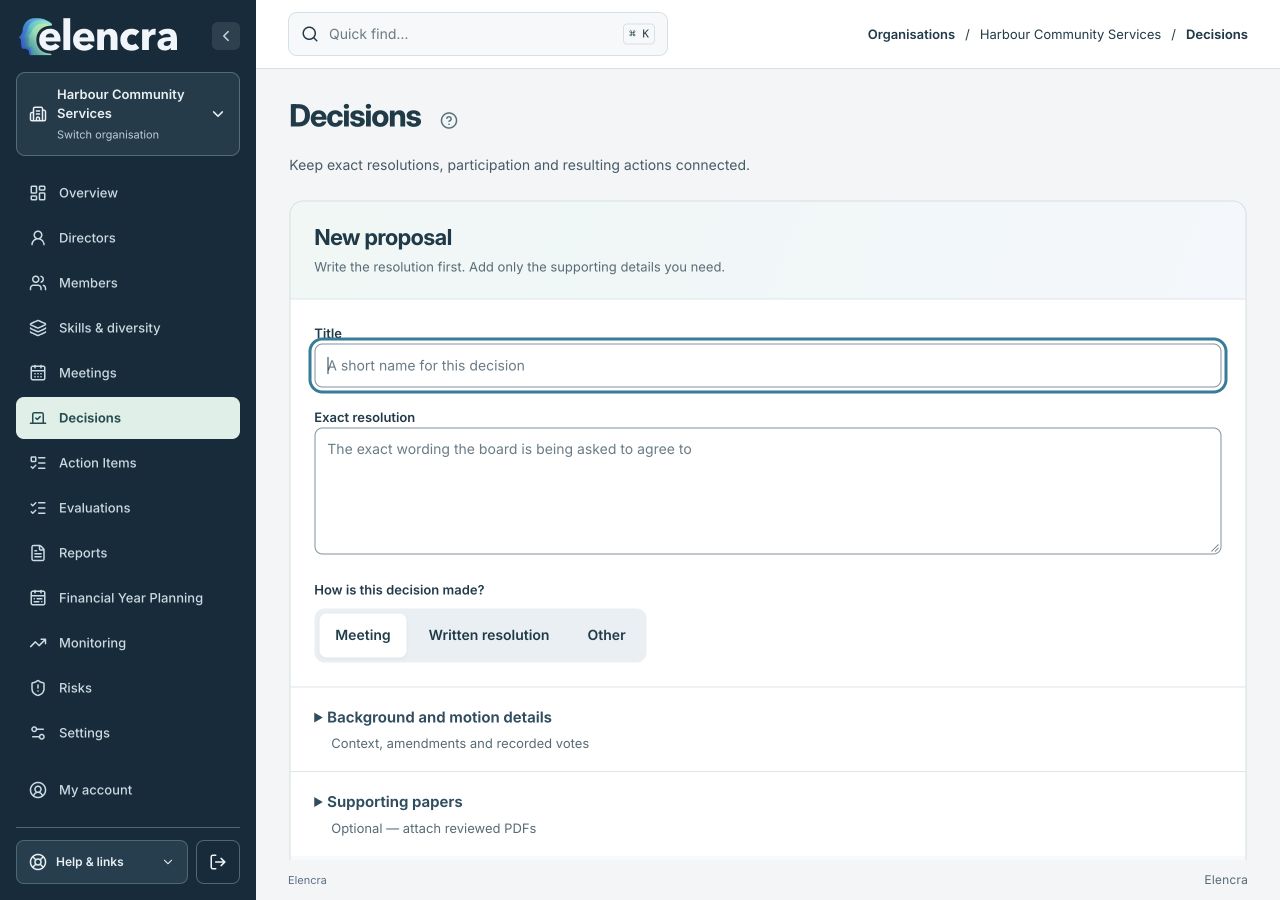
Enter a clear title and the full wording of the proposed resolution before reviewing its method and participants.
Actual app interface with fictional records. Your permissions and screen size may change the options shown.
Choose the method
Set How is this decision made? to the appropriate method offered. Review the response deadline and eligible participants.
- Select Written resolution when that is the intended method. Check the rules and eligibility shown rather than assuming every director can respond to every matter.
Add the context
Include background, motion details and supporting papers so participants understand the question being put to them.
- Keep explanatory background separate from the resolution. Check that supporting papers are the right versions and are available to the intended participants.
Review and open
Save the proposal, check the wording and use Open for responses when ready. Review invitations separately before sending.
- Read the proposal once as a recipient before opening it. Review actual invitation recipients and the explicit sending step separately from saving the proposal.
Review the outcome
Check recorded responses and the applicable rules before Prepare final decision. Where recording a response on behalf of a director is permitted, include the required reason.
- Review responses and the decision rules together. Do not describe a pending or insufficient response as approval; record the final outcome only when supported.
For example
For a proposed supplier appointment, use the precise appointment and conditions in Exact resolution. Background can explain the options but should not replace the wording people respond to.
What you should see
The proposal has a defined wording, participation set and response process, with a separately reviewed final outcome.
- The response question matches the exact wording reviewed.
- The final decision records the actual outcome and supporting process.
If something looks different
Changing the participant set or resolution can affect the process. Use the available revision and correction controls; do not treat an invitation email as evidence of a response.
A common question
Is opening a proposal the same as approving it?
No. Saving a proposal, opening responses, collecting responses and preparing a final decision are distinct steps. Follow your organisation’s rules before recording the outcome.
Did this help you move forward?
Your response stays in this browser on this device.
Updated 16 November 2026. Your organisation’s permissions and settings can change the options you see.