
Add or update a director profile
Keep a director’s contact details, appointment and linked records together.
- Directors
- Add director / Open profile
Before you start
Check whether the person already has a director profile. A director record and an application account are separate.
- Search for former as well as current records to avoid duplicates.
- Have the agreed appointment information and authorised contact details ready.
Step by step
Check the directory
Open Directors and search for the person before adding a new record.
- Search using the person’s name and check matching profiles. A similar name is not enough to establish that two records belong to the same person.
Open the editor
Choose Add director for a new profile, or Open profile and Edit profile for an existing person.
- Use Add director for a new person. For a correction, open the existing profile and choose Edit profile so its history remains connected.
Start with the director directoryExample workspaceEnlarge screenshot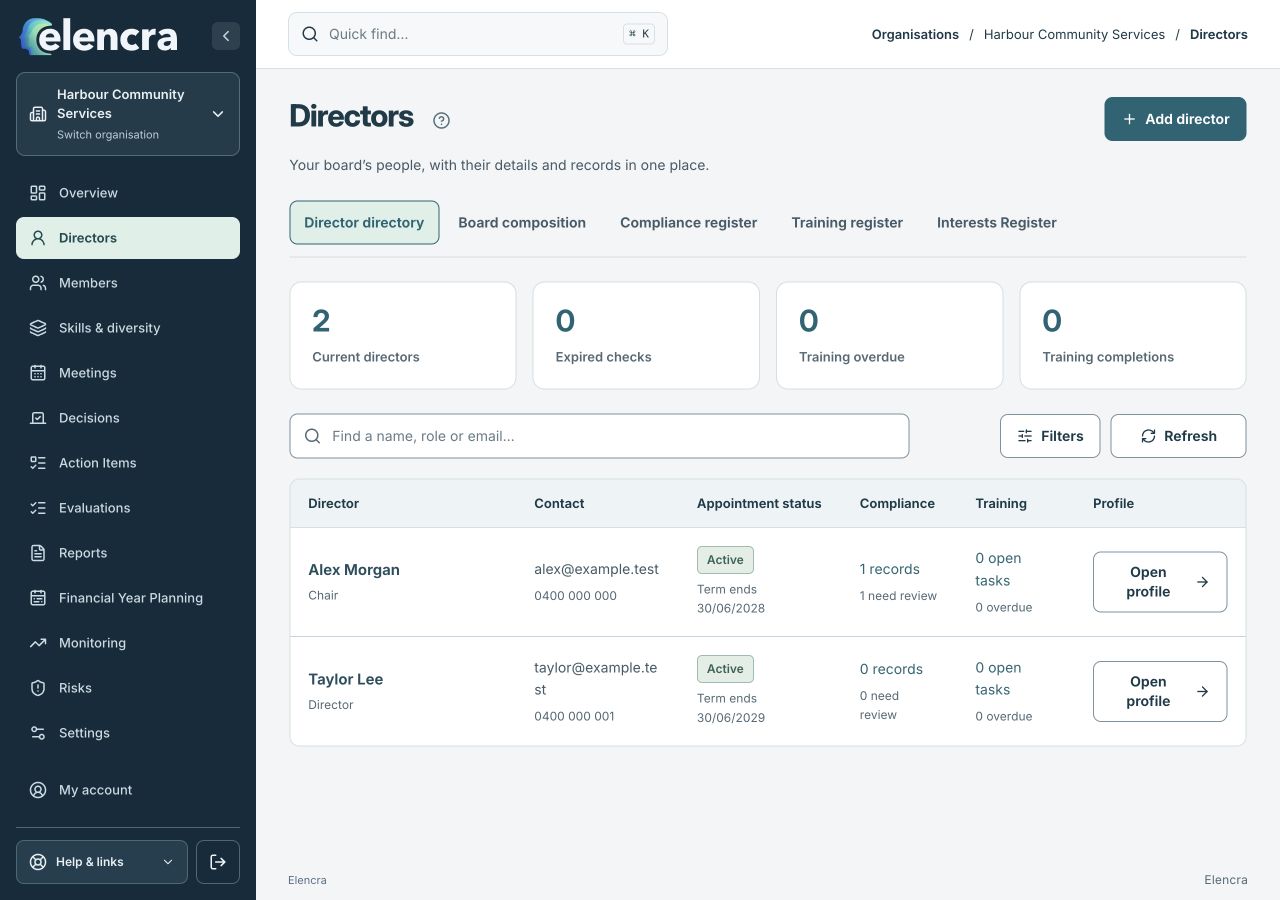
Check existing profiles before using Add director.
Actual app interface with fictional records. Your permissions and screen size may change the options shown.
Record the appointment
Enter Full name, contact details, board roles and appointment information. Choose the correct Appointment status and record known dates.
- Record confirmed dates only. Keep the board role, appointment status and term end accurate; do not use a guessed date to complete the form.
Record the appointment accuratelyExample workspaceEnlarge screenshot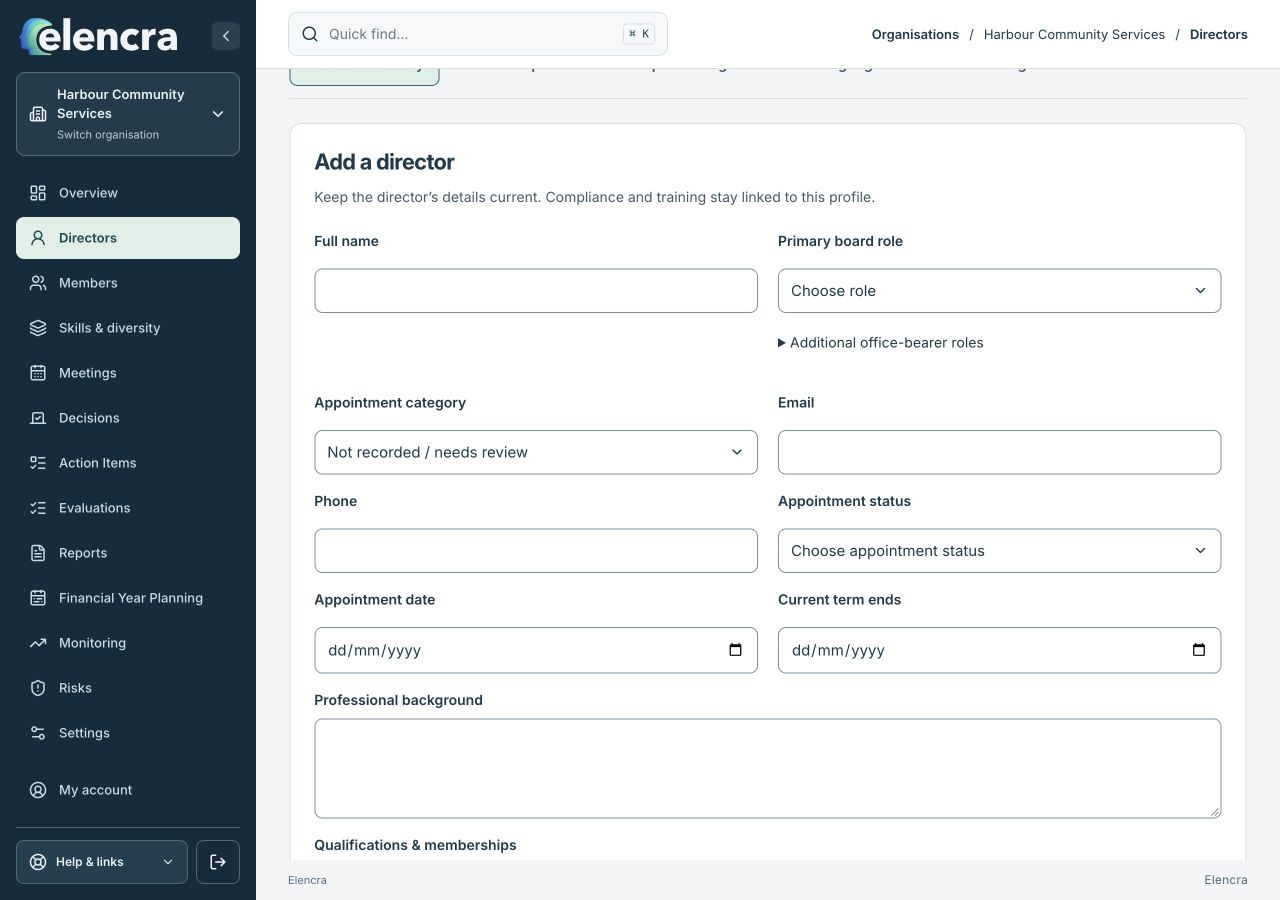
The board role and appointment status describe the director record. Platform access is a separate task.
Actual app interface with fictional records. Your permissions and screen size may change the options shown.
Handle optional information carefully
Add professional background and qualifications where useful. Only record voluntary diversity information for its stated purpose with the person’s agreement.
- Only include information needed for the board’s stated purpose. Professional background and voluntary diversity details should not become a place for unrelated personal notes.
Save the profile
Choose Save director profile and check the saved record. Manage platform access separately if the person needs to sign in.
- Review the saved profile, then use Platform access separately if sign-in is needed. A profile can exist without an enabled application account.
For example
A director has finished their term. Mark the profile Former to retain their history; review organisation access separately because an appointment status is not the account permission.
What you should see
The person’s governance profile is saved without automatically creating or deleting a global account.
- There is one intended profile for the person in this organisation.
- Appointment details and platform access have been considered separately.
If something looks different
If the required role is missing, ask an Administrator to check the configured board roles in Settings. Do not create duplicate profiles to represent a second role.
A common question
Does making someone Former remove their login?
Do not assume that an appointment change changes account permissions. Review organisation access separately. Removing access to this board must not remove the person’s global account or memberships elsewhere.
Did this help you move forward?
Your response stays in this browser on this device.
Updated 16 November 2026. Your organisation’s permissions and settings can change the options you see.