
Change your sign-in email address
Verify a new address without losing the memberships linked to your existing account.
- My account
- Email address
Before you start
You need access to the new inbox and may need to authenticate again. External-provider addresses may need support instead.
- Keep access to your existing sign-in while you verify the new address.
- Check that the new inbox can receive messages and is an address you intend to keep.
Step by step
Open Email address
In My account, choose Email address and review the current verified login.
- Read the current sign-in address before typing a replacement. This is different from changing a contact email in a director record.
Confirm your identity
Use Confirm identity again if recent authentication is required, then return to the email change.
- Complete the secure identity check yourself. Do not send a password or authentication code to an Administrator or to support.
Request a code
Enter the new email address and choose Send verification code. Your existing address remains active while the request is pending.
- Check the new address character by character, including the domain after @. Request one code, then use the newest message for that pending change.
Start the email verificationExample workspaceEnlarge screenshot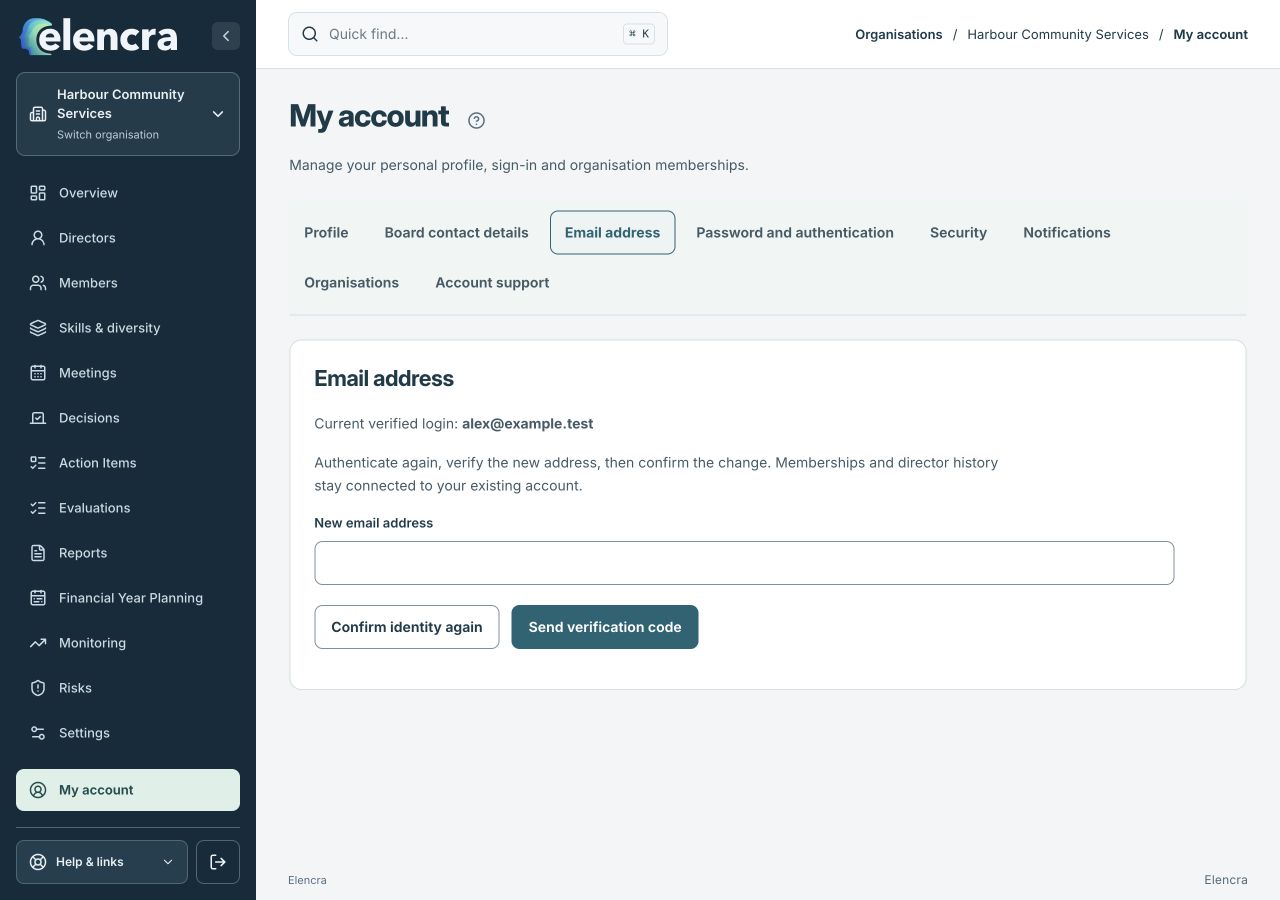
Check the new address before asking for a verification code.
Actual app interface with fictional records. Your permissions and screen size may change the options shown.
Verify the change
Enter the code in Verification code and choose Verify and change email. If requested, sign out and sign in again using the updated address.
- Enter the code only in the verification field. Wait for the confirmed result before signing out or assuming your new address is ready to use.
For example
Moving from an old work address to a new one is an account correction. It should not be handled by creating duplicate director profiles or a second account.
What you should see
The confirmed address becomes your sign-in address while your existing account remains connected.
- My account shows the intended confirmed sign-in address.
- Your existing organisations remain connected to the account.
If something looks different
If the page says your email is managed by an identity provider, follow that instruction or contact account support. If an update needs reconciliation, use Retry email update rather than starting a duplicate request.
A common question
The code has not arrived. Should I make a new account?
No. Check the typed address and the new inbox’s spam or quarantine folder first. Follow any resend or retry option shown for the current request. Contact account support if the change cannot be completed.
Did this help you move forward?
Your response stays in this browser on this device.
Updated 16 November 2026. Your organisation’s permissions and settings can change the options you see.