
Get help with passwords and sign-in
Find recovery options and end Elencra sessions from your account.
- My account
- Password and authentication / Security
Before you start
If you cannot sign in at all, use the recovery option on the sign-in page or contact account support.
- Know whether you use an Elencra password or an external sign-in provider.
- Save any work before using a control that ends your sessions.
Step by step
Check your sign-in method
Open My account, then Password and authentication. The page shows whether password recovery is available through Elencra’s sign-in service.
- Read the method shown rather than guessing from the email domain. A work email address can still use a password-based sign-in.
Request recovery if available
Choose Request password recovery and follow the instructions sent to your verified address. A request is not confirmation that the password has changed.
- Open the recovery message in your own inbox and follow its secure link. If more than one recovery email arrives, use the latest valid one.
Use the recovery route for your accountExample workspaceEnlarge screenshot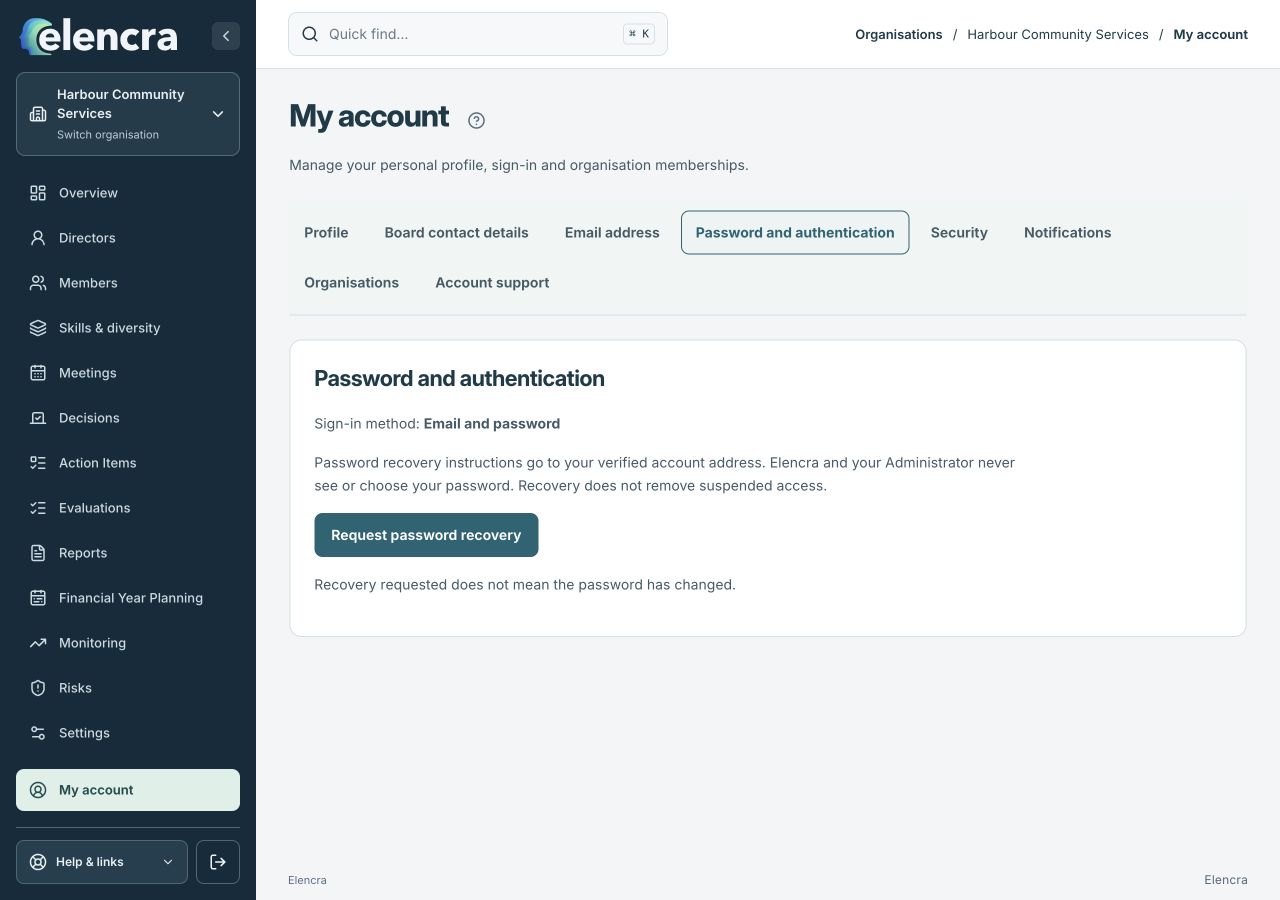
Password recovery and session controls are separate tabs within My account.
Actual app interface with fictional records. Your permissions and screen size may change the options shown.
Use your provider where required
For Google, Microsoft or another external sign-in method, manage the password with that provider. Elencra does not choose or see that password.
- Use the provider’s normal recovery process. If your organisation manages the provider account, its IT team may need to help with that account.
Review sessions
In Security, use Sign out Elencra sessions when you need to end existing Elencra access on your devices. You will need to authenticate again.
- Read the session confirmation before continuing. Ending sessions is useful when leaving a shared device; it does not remove your membership of an organisation.
For example
If your organisation access is suspended, changing your password will not restore it. Ask the organisation’s Administrator to review the membership instead.
What you should see
You have followed the recovery route for your sign-in method or ended the relevant Elencra sessions.
- You used the recovery route for your actual sign-in method.
- You can sign in again when the recovery process is complete.
If something looks different
Never send passwords, one-time codes, recovery codes or private recovery links to support. For unavailable authentication methods, contact account support.
A common question
Will password recovery restore a missing board?
No. Password recovery helps with authentication. A board’s Administrator must review that organisation’s invitation, membership and section access separately.
Did this help you move forward?
Your response stays in this browser on this device.
Updated 16 November 2026. Your organisation’s permissions and settings can change the options you see.