
Read a digital board pack
Work through the published agenda and supporting papers in one place.
- Meetings
- Open meeting
- Digital board pack
Before you start
The organiser must have published the material, and your account must have access to it.
- Know the meeting name and date so you can select the right pack.
- Use your own account; access can differ between individual participants.
Step by step
Find the meeting
Open Meetings, locate the meeting and choose Open. Check its name and date.
- Look in Upcoming or Past & completed as appropriate. Use the meeting search if the register is long, then choose Open for the correct row.
Open the reading view
Choose Digital board pack or Open digital pack where the published pack is listed.
- Digital board pack opens the pack area. Choose the available published version for reading; an organiser’s preparation draft is not the same as the released pack.
Open the digital board packExample workspaceEnlarge screenshot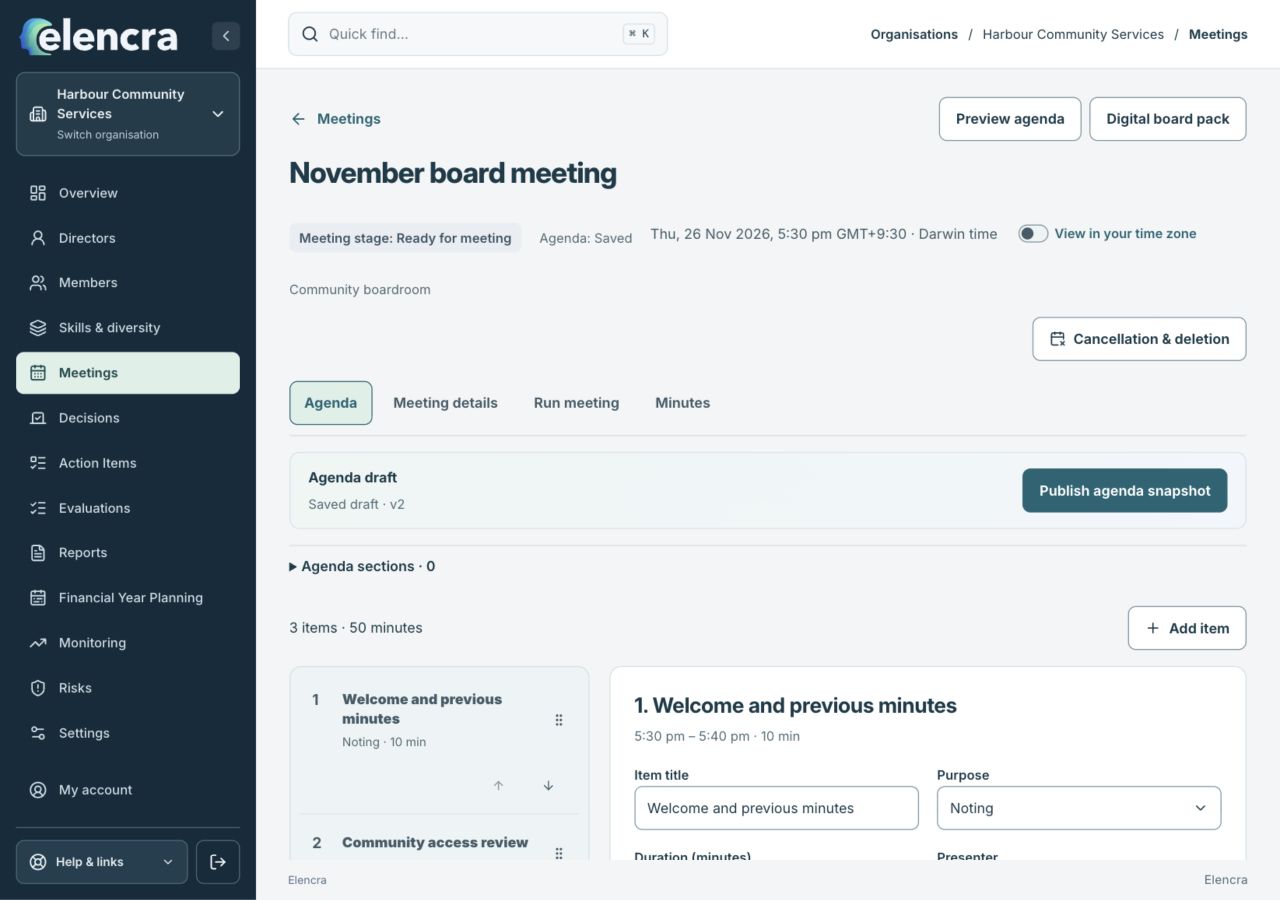
This screenshot shows the entry to Digital board pack. Choose the intended published version in the pack area.
Actual app interface with fictional records. Your permissions and screen size may change the options shown.
Use Contents
Choose an agenda item or paper from Contents. Use Previous and Next to work through the pack in order.
- Use the contents to move directly to an item. When reading an individual PDF, its page and zoom controls apply to that paper rather than the whole agenda.
Check the version
Review any notice about a different agenda version. Published versions preserve what was released at a particular time.
- Check the pack title and version before quoting a page or asking a question. A replacement pack may contain revised papers or a different order.
Choose another reading option if needed
Pack options may offer View combined PDF. If the device cannot build a pack, follow the available alternate builder or read individual papers.
- If a combined PDF cannot be prepared on your device, follow the alternatives shown. Individual authorised papers can be useful when you only need one item.
For example
Read the financial update, then move to the linked decision item. If a later pack is published, check which version you are using before the meeting.
What you should see
You can follow the meeting’s published content and identify the version you have read.
- You are reading the intended published pack version.
- You can open the papers you are authorised to read.
If something looks different
If access has changed, return to the meeting and contact the organiser. Do not ask another participant to forward a restricted pack or private link.
A common question
Does opening a paper mark it as read?
No. The reader explicitly says that opening a document does not record it as read. Do not treat opening the pack as an acknowledgement or a formal approval.
Did this help you move forward?
Your response stays in this browser on this device.
Updated 16 November 2026. Your organisation’s permissions and settings can change the options you see.